


Alienware 16 Area-51 In-Depth Review: The Ultimate Desktop Replacement?
The Alienware 16 Area-51 is not just another gaming laptop; it is a full-fledged desktop replacement squeezed into a surprisingly manageable 16-inch chassis. Designed for absolute power users and hardcore gamers, this machine promises zero compromises. Let’s break down exactly what makes this powerhouse tick.

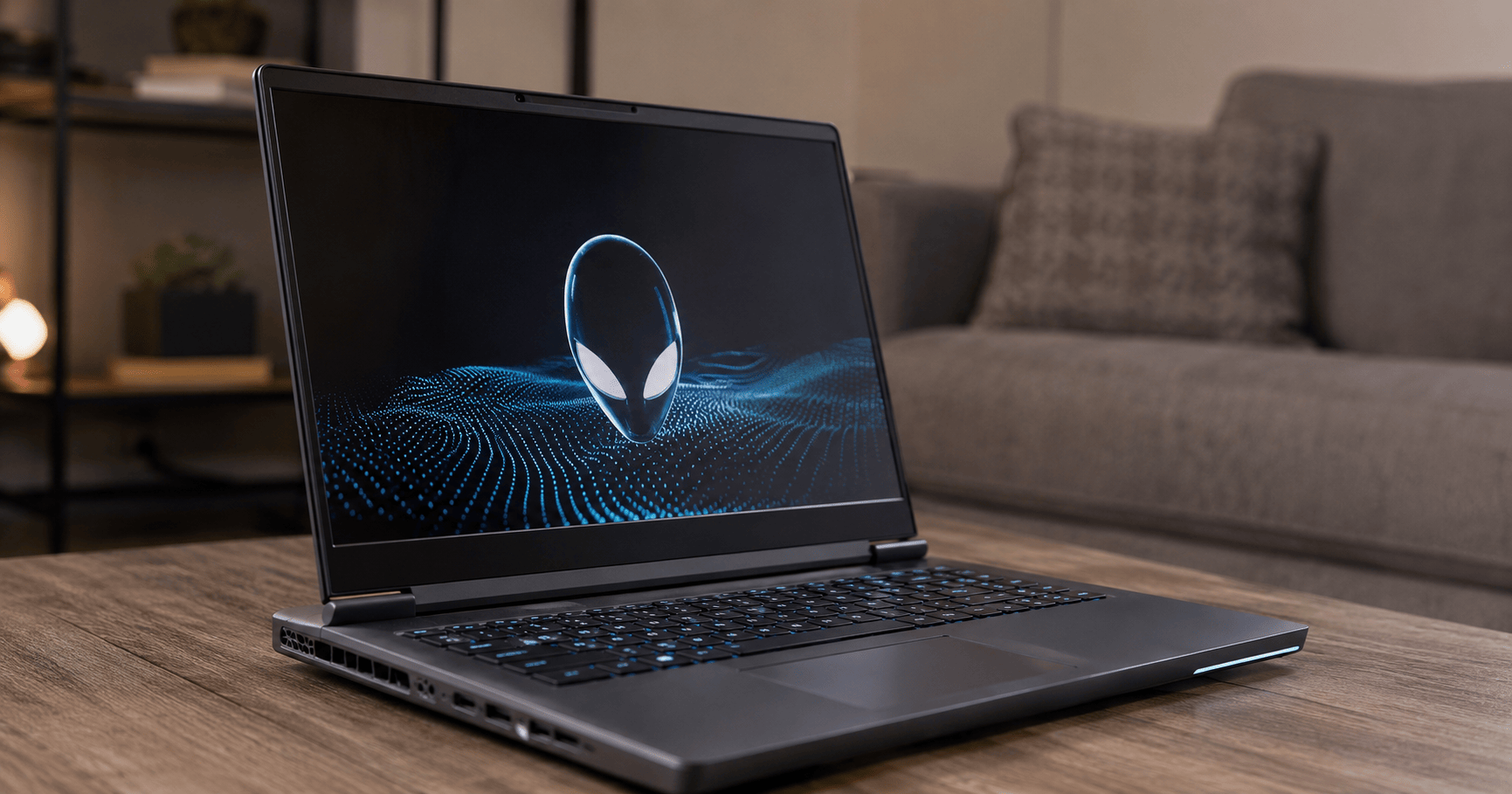
The sleek, futuristic aesthetic of the Alienware 16 Area-51
1. Design and Build Quality
Alienware’s Legend 3.0 design language continues to evolve beautifully. The chassis is crafted from a premium mix of dark anodized aluminum and magnesium alloy, giving it a rigid, flex-free feel. It is heavy, tipping the scales at around 3.1 kg, but that bulk is entirely justified by the hardware inside.
- Lighting: The iconic stadium loop RGB lighting on the rear exhaust and the glowing alien head logo are customizable per key via the Alienware Command Center.
- Cooling Architecture: The back of the laptop extends further than standard models to house the massive Cryo-tech cooling solution, which includes four fans and a vapor chamber.
2. Display: A Visual Treat
The 16-inch QHD+ (2560 x 1600) display features a modern 16:10 aspect ratio, giving you more vertical real estate for both gaming and productivity.
- Refresh Rate: With a blazing fast 240Hz refresh rate and a 3ms response time, motion blur is virtually non-existent, making it perfect for competitive esports titles.
- Color Accuracy: It covers 100% of the DCI-P3 color gamut, making it just as capable for professional photo colorization or digital asset creation as it is for gaming.
3. Performance and Thermals
Underneath the hood is where the Area-51 truly shines. It can be configured with some of the most powerful hardware on the market today. For instance, gamers running absolute beast combinations like a Ryzen 9 7845HX processor and an RTX 4080 often experience frustrating frame drops in demanding titles if the thermal management isn’t up to par.
Alienware tackles this directly. Thanks to the Element 31 gallium-silicone thermal interface material and the quad-fan setup, the Area-51 easily sustains maximum wattage to both the CPU and GPU. Whether you are pushing heavy ray-tracing in Cyberpunk or compiling massive software projects, frame drops and thermal throttling are firmly a thing of the past.
4. Keyboard, Touchpad, and Ports
The CherryMX ultra-low-profile mechanical keyboard is a joy to type on. It offers 1.8mm of key travel with a distinct, satisfying tactile click. The glass touchpad is slightly on the smaller side (due to the keyboard placement and cooling deck), but it uses Windows Precision drivers for flawless tracking.
Port selection is highly practical, with most major ports (Power, HDMI 2.1, Mini-DisplayPort, and dual Thunderbolt 4 / USB-C) located at the rear to keep your desk free of cable clutter.
5. Battery Life
Let’s be realistic: battery life on a desktop replacement is never stellar. The 97Whr battery is the legal limit for air travel, but when pushing a high-wattage CPU and GPU, you can expect around 3 to 4 hours of basic web browsing, and under an hour of actual gaming. You will want to keep the massive 330W gallium nitride (GaN) power brick nearby.
Alienware 16 Area-51 – Full Specifications
| General Information | |
| Brand & Model | Dell Alienware 16 Area-51 |
|---|---|
| OS | Windows 11 Home / Pro |
| Body & Build | |
| Dimensions & Weight | Thickness: 25.4 mm | Weight: ~3.1 kg |
| Material | Anodized Aluminum and Magnesium Alloy |
| Keyboard | CherryMX Ultra-low profile mechanical keyboard (per-key RGB) |
| Display | |
| Size & Resolution | 16.0-inch QHD+ (2560 x 1600 pixels), 16:10 aspect ratio |
| Refresh Rate | 240Hz, 3ms response time |
| Color & Tech | 100% DCI-P3, NVIDIA G-SYNC, Advanced Optimus, ComfortView Plus |
| Performance | |
| Processor (CPU) | Up to AMD Ryzen 9 7845HX (12-Core, 24-Thread, up to 5.2 GHz) |
| Graphics (GPU) | NVIDIA GeForce RTX 4080 (12GB GDDR6, up to 175W TGP) |
| Cooling Tech | Cryo-Tech cooling, Element 31 thermal interface, Quad fans |
| Memory & Storage | |
| RAM | Up to 64GB DDR5 (4800MHz), Dual-channel (Upgradable) |
| Storage | Up to 4TB PCIe NVMe M.2 SSD (2x 2TB RAID 0) |
| Ports & Connectivity | |
| Connectivity | Wi-Fi 6E (802.11ax), Bluetooth 5.3, 2.5Gbps Ethernet |
| Ports | 2x USB 3.2 Gen 1 Type-A, 2x USB-C (Thunderbolt 4 / DisplayPort), 1x HDMI 2.1, 1x Mini-DisplayPort, 1x RJ45, 1x 3.5mm Headphone Jack, 1x SD Card Slot |
| Webcam & Audio | 1080p FHD webcam with IR (Windows Hello), Stereo speakers (Dolby Atmos) |
| Power & Battery | |
| Battery Capacity | 97 Whr Lithium-Ion (6-cell) |
| Power Adapter | 330W GaN small form-factor adapter |
The Verdict
The Alienware 16 Area-51 commands a premium price tag, but it backs it up with staggering desktop-level performance, an industry-leading mechanical keyboard, and a breathtaking display. If you are looking for an uncompromising, portable gaming station that can obliterate any AAA title or heavy creative workload you throw at it, this is an exceptional choice.